Site Update
Big Site Update: Events for LGS Tournaments, Version History, Compare Decks & More
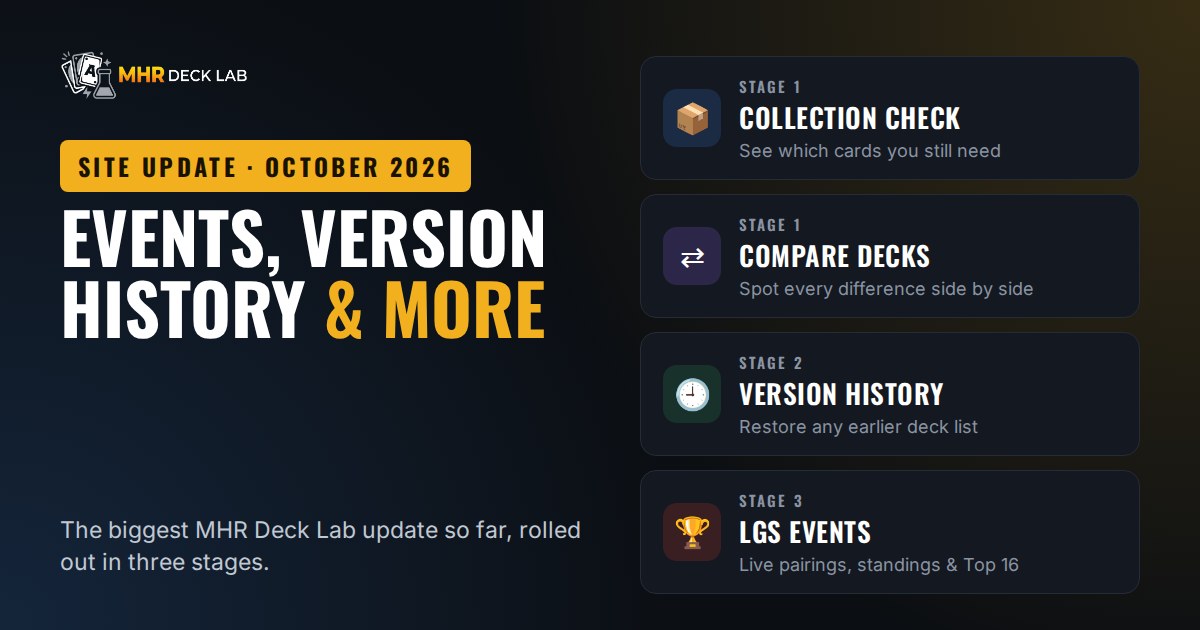
MHR Deck Lab's biggest update so far: run LGS tournaments with live pairings and standings, restore earlier versions of your decks, compare any two decks, and see which cards you still need from your collection.
Over the past week MHR Deck Lab got its biggest update so far, rolled out in three stages. Your Deck Builder now knows which cards you own, every deck can be compared side by side, every deck keeps a version history, and local game stores can now run their whole tournament on the site — registration, pairings, standings and the final decklists.
Everything below is live now. All features are free, as always.
At a Glance
- Stage 1 — smarter Deck Builder: collection check, Compare decks, and tournament usage on every card.
- Stage 2 — Version history: go back to any earlier version of a deck.
- Stage 3 — Events: LGS tournaments with online registration (account or guest), Swiss pairings, Top cut and live standings.
- Also new: decks save to your account automatically, card images in the deck list, and a QR code for every event.
Stage 1: A Smarter Deck Builder
Your collection, inside the Deck Builder
If you track your cards in My Collection (My Dashboard), the Deck Builder now shows how many copies of each card you own next to the deck list, plus a From your collection counter for the whole deck.
- Show missing only filters the list down to the cards you still need.
- Missing cards opens a shopping list with exactly how many copies of each card you're short. Copy it with one tap, or press I bought these — add to my collection after a trip to your LGS.
Compare decks
Put two decks side by side and see what's different: cards Only in A, Only in B, and In both, with an overlap score.
- Open it with ⇄ Compare decks in the Deck Builder, from My Dashboard, or with the ⇄ Compare button on any Tournament Deck or community deck to check it against your active deck.
- You can also paste any deck link or code as deck B.
- Like what you see? Save B as a new deck or Open B in Deck Builder.
Tournament usage on every card
Open any card and scroll down to 🏆 Tournament usage: how many recorded Top-cut decks play it, the average number of copies, and which cards it's often played with. A quick way to see what the meta actually runs.
Stage 2: Version History
Every deck saved to your account now has a 🕘 Version history.
- Automatic versions: before you change a deck, the previous list is saved for you (at most one automatic version every 30 minutes).
- Named versions: press Save current as version before a big change, e.g. "Before Jakarta Qualifier".
- Restore or compare: see what changed compared to now, compare any version with your current list, or restore it. Your current list is saved first, so a restore can always be undone.
Up to 30 automatic and 20 named versions are kept per deck. You'll find the button in the Deck Builder and on each deck in My Dashboard.
Auto-save to your account: when you're logged in, your decks now sync to your account automatically while you build. No more forgetting to press save, and the same decks are waiting for you on your phone and your computer.
Stage 3: Events — LGS Tournaments on MHR Deck Lab
The new Events page lets local game stores run a full tournament on MHR Deck Lab.
For players
- Open the event from the Events page, a link from your store's WhatsApp group, or by scanning the store's QR code.
- Register with your MHR Deck Lab account, or as a guest with just your name if the store allows it. If the event uses decklists, pick one of your saved decks or paste a deck link. The site checks that it's legal: exactly 50 cards, max 2 colours, max 3 cards with the same character name, released cards only.
- During the event, the page shows your table and opponent for the current round, plus live Pairings and Standings for everyone. It refreshes on its own, so there's no need to crowd around one phone or a printed sheet.
Your decklist stays private. Only you and the organizer can see it. When the event is over, the organizer can publish the Top-cut decks to Tournament Decks, so everyone can learn from the winning lists.
For organizers
- Online registration and walk-ins, with an optional player limit. Allow guest registration if you don't want to require an account.
- Decklists your way: required, optional or not used. Required decklists are checked for legality, and anything that doesn't pass is flagged Not legal in your player list.
- Swiss pairings with no rematches. From round 2, table 1 is always the top of the standings. A bye, if needed, goes to the lowest-ranked player without one and counts as a win.
- Top cut: none, Top 2, Top 4, Top 8 or Top 16, from Top 16 through Quarterfinals and Semifinals to the Final.
- Enter results with one tap: wins, draws or a double loss in Swiss, Best of 1 or Best of 3. You can also drop players, re-pair a round, or undo it.
- QR code and Copy link: a print-ready QR card (Download PNG or Print) to put on the tables or show on a screen, plus a copy-ready pairings text for your WhatsApp group.
- Publish to Tournament Decks when the event is finished. The Top-cut decks go public with their placements.
How the standings work
Players are ranked by match points (win 3, draw 1, loss 0). Ties are broken by OMW% (your opponents' match-win %), then GW% (your game-win %), then OGW% (your opponents' game-win %), each with a 33% minimum. These are the standard tiebreakers used in most TCG organised play. Tap How are the tiebreakers calculated? on the Standings tab for the full explanation.
Run your store's events here
Event creation is open to approved organizers. If you run Marvel Hero Rush events at your store and want to use Events, message us on TikTok or Instagram @deteprtm with your store name and city, and we'll set you up.
Also New
- Card images in the deck list: the Deck Builder list now shows each card's art, with a toggle for a compact grid view.
- Weekly Rush LGS: new stores keep getting added, most recently Draagoons Hobby Shop in Tangerang Selatan (Wednesday, Friday and Sunday).
Tell Us What You Think
These features started as suggestions from the community, so keep them coming. Found a bug, or have an idea for the next update? Reach us on TikTok or Instagram @deteprtm.
MHR Deck Lab is a fan-made site and is not affiliated with Marvel or the publisher of Marvel Hero Rush. Card art © MARVEL © JASON.